MeisterTask Alternative: Week Plan vs MeisterTask
Published: November 19, 2026
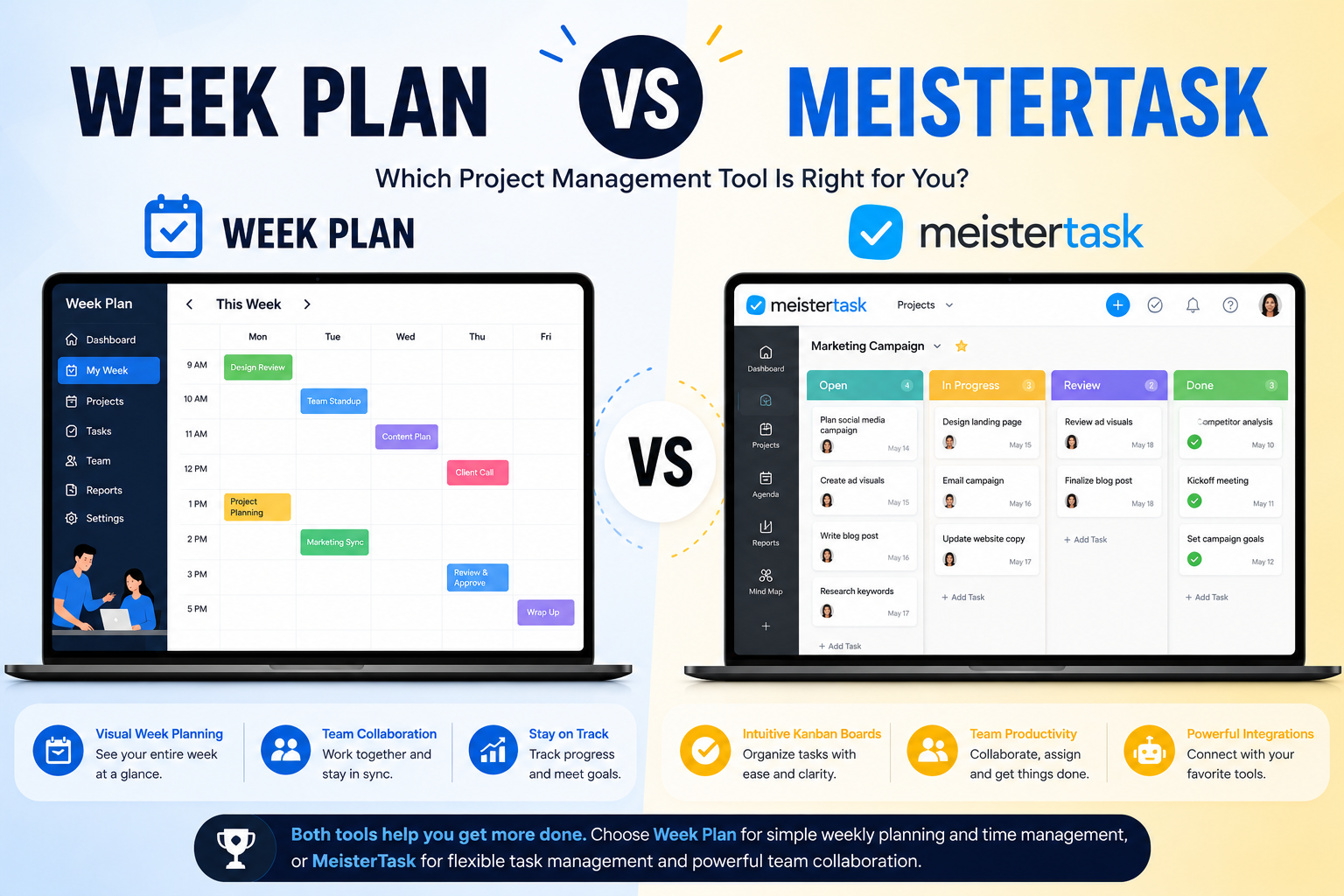
MeisterTask is a kanban task manager for individuals and teams, part of the Meister suite with MindMeister and MeisterNote. Week Plan is a weekly planner for one person or a small team, built on Stephen Covey's 7 Habits: plan by role, put important work first and review the week. If your team runs projects on boards, MeisterTask is the better tool. If you want to plan your own week around goals rather than move cards across columns, Week Plan fits better.
At a glance
| Week Plan | MeisterTask | |
|---|---|---|
| Price (paid) | $10.83/mo, or $104/yr ($8.67/mo); $399 lifetime | Pro €13.50, Business €24 per user/mo (annual, excl. VAT); Enterprise custom |
| Free plan | Yes: Lite keeps the weekly planner, roles and weekly High Impact Tasks | Basic: 3 projects, no recurring tasks or integrations |
| Trial | 7 days of every feature, no card needed | 14-day Business trial |
| Platforms | Web, iOS, Android | Not checked for this comparison |
| Planning style | Weekly, by role and priority | Kanban project boards |
| Goals & roles | Roles (free); OKRs and vision page (paid) | Not a built-in feature we found |
| Weekly review | Guided weekly review (paid) | Not a built-in feature we found |
| Calendar | Google Calendar and Outlook, two-way sync (paid); no iCloud | iCal feed (one-way); Google Calendar integration on Pro |
| AI | Break Down a task, Excuse Killer (paid), plan generation at sign-up | Meister AI credits on every plan; AI project statuses (beta) |
| Teams | Up to 10 users, at 3x the single price | Unlimited team members even on Free |
Where MeisterTask is stronger
- Team kanban. Project boards for teams, with unlimited team members even on the free plan. Week Plan is not a project management tool.
- Time tracking on every plan. If you bill by the hour or track effort, MeisterTask covers it. Week Plan only records estimates and time spent on tasks.
- Import from Asana and Trello. MeisterTask can bring existing projects in; Week Plan has no import.
- The Meister suite. Mind maps in MindMeister and notes in MeisterNote sit next to your tasks.
- A longer trial. 14 days of Business against Week Plan's 7 days.
Where Week Plan is stronger
- A weekly view of your life. Your week in day columns, with tasks grouped by your roles, so work and personal priorities share one plan. See our weekly planner page.
- Priorities before boards. Weekly High Impact Tasks and, on the paid plan, the Eisenhower quadrant view keep important work from being buried, as in Habit 3: Put First Things First.
- Goals and reflection. A guided weekly review, journal, vision page and objectives with key results (paid).
- A useful free plan. After the trial, Lite keeps the weekly planner, roles and weekly High Impact Tasks working for free.
- Your meetings beside your plan. Connect Google Calendar or Outlook on the paid plan (calendar sync).
Pricing compared
MeisterTask lists prices in euros, excluding VAT, and says other regions may differ. Basic is free, Pro is €13.50 per user per month billed annually (€17.50 monthly), Business is €24 (€31 monthly), and Enterprise is custom. New accounts get a 14-day Business trial. Week Plan starts with a 7-day trial of every feature and no card. After it you keep the free Lite plan, or pay for Ultimate at $10.83 a month, $104 a year ($8.67 a month), or $399 once for lifetime access (single user). A team of up to 10 costs 3x the single price. See our pricing page. Prices checked November 2026.
Who should choose which
Choose MeisterTask if you:
- Run team projects on kanban boards.
- Need built-in time tracking.
- Want to import projects from Asana or Trello.
- Already use MindMeister or MeisterNote.
Choose Week Plan if you:
- Plan mainly for yourself or a small team of up to 10.
- Want to plan by roles and weekly goals.
- Want a weekly review habit in the same tool.
- Want a free plan that keeps your weekly planner working.
- Think in weeks rather than in board columns.
Switching from MeisterTask
Week Plan has no MeisterTask import, so keep the move small.
- Set up your roles. Turn your projects into roles where it makes sense (for example "Client work", "Family", "Health"). Our 7 Habits page explains the idea.
- Move this week's tasks. Type in only what you will work on this week. Leave the boards in MeisterTask.
- Pick your High Impact Tasks. Choose the few that matter and place them on days first.
- Connect your calendar (paid). Add Google Calendar or Outlook so meetings show beside your tasks.
- Keep MeisterTask read-only for a week. After one weekly review, decide which tool you want, or keep both: MeisterTask for team boards, Week Plan for your week.
A practical note on capture: on the paid plan you can forward an email to your workspace address to turn it into a task, and connect other apps through Zapier. Neither is an import, but both help new work land in your week instead of in an old board.
More comparisons are on our compare page.
Try Week Plan free — 7 days of every feature, then a free plan that keeps working.