Guided Weekly Review in Your Planner
Published: November 16, 2026
💡 How do I do a weekly review?
Set aside a short block at the end of the week, look at your goals and roles, clear your lists, and plan the coming week. Week Plan's Weekly review guides you through it in order: Objectives, Roles, Lists, Week schedule, then Finish.
Weeks have a way of running into each other. Friday ends, Monday starts with whatever is left over, and the goals you set a month ago slowly fade from view. A weekly review is the habit that stops that drift: a short, regular pause to look at where you are and decide where the next week goes. Week Plan turns it into a guided Weekly review, so you don't have to remember the steps or build your own checklist.
How the Weekly review works in Week Plan
The Weekly review is a guided flow. You go through the steps in order, and each one focuses your attention on one part of your plan.
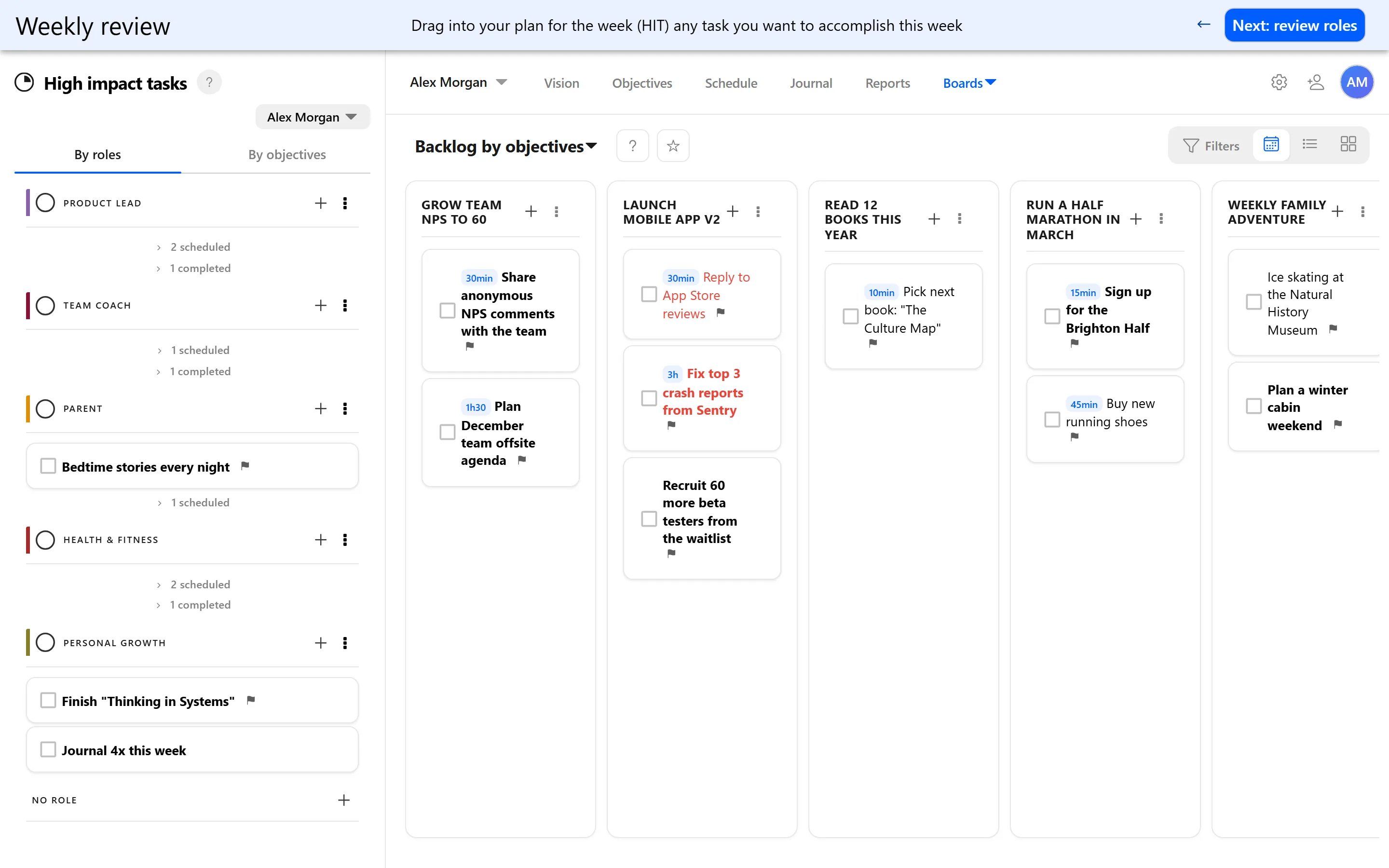
- Objectives. Start with the big picture: your quarterly Objectives and their key results.
- Roles. Go through your roles, one area of your life at a time, with the coming week in mind.
- Lists. Look at your lists and decide what belongs in the week ahead and what can wait.
- Week schedule. Lay out the coming week, placing your High Impact Tasks on days.
- Finish. Close the review with next week planned.
The order matters. Starting with objectives and roles means you decide what is important before you look at everything that is waiting for you, not after.
The guided Weekly review is available in the browser. It is not available in the iOS and Android apps.
Looking back with Reports
A review is easier with facts in front of you. Reports show any range, such as last week or the last four weeks, with completed tasks, estimated and tracked hours, and breakdowns by role and by quadrant.
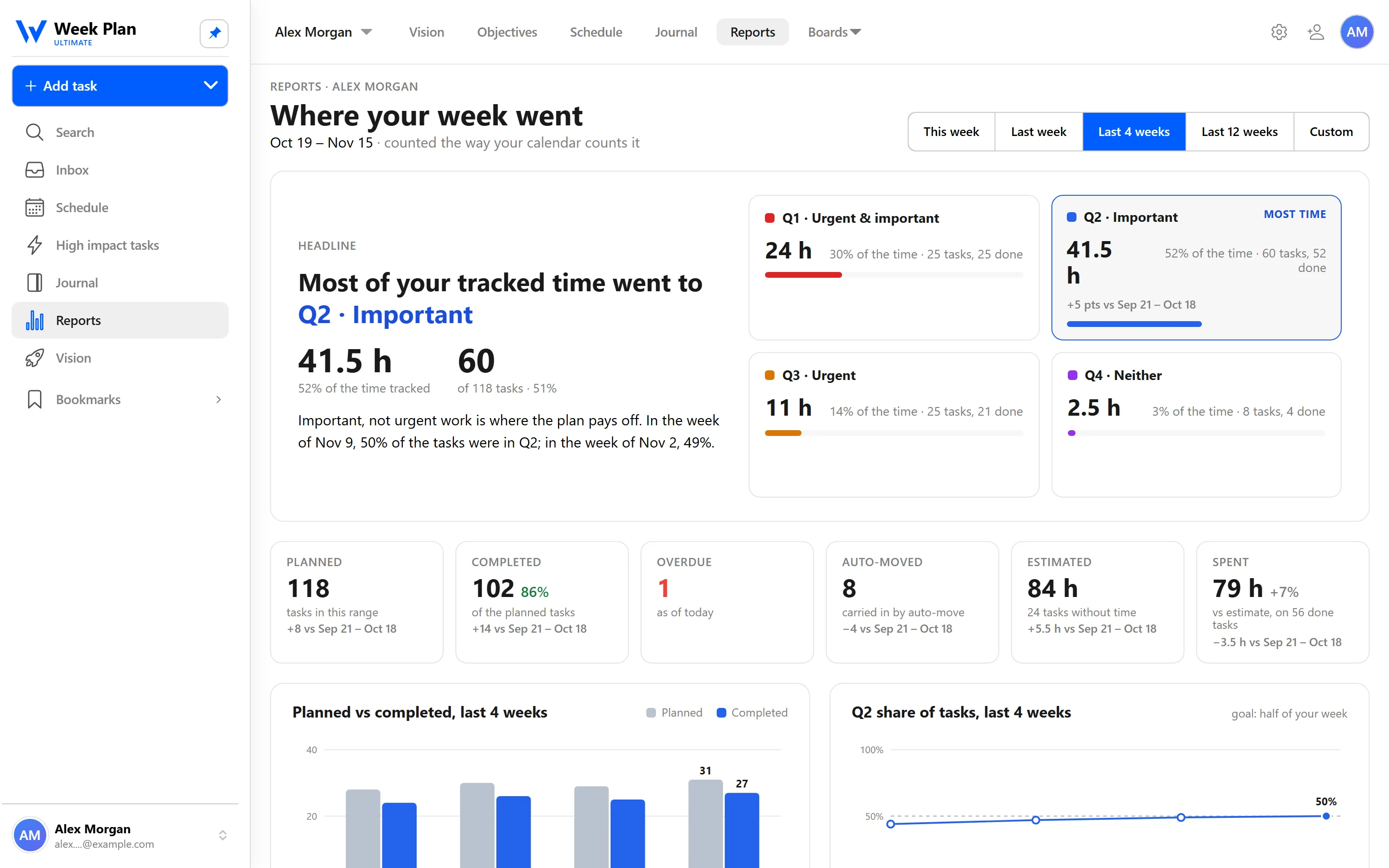
Two parts of Reports are especially useful at review time: tasks that keep getting moved, which often need breaking down or dropping, and the Quadrant 2 trend, which shows whether important, non-urgent work is getting more or less of your week.
The 7 Habits behind it
Week Plan is built on Stephen Covey's The 7 Habits of Highly Effective People. The Weekly review draws on two habits.
Habit 7: Sharpen the Saw is about regular renewal: stepping back to keep yourself effective instead of just pushing harder. A weekly review is that idea applied to your planning. You stop, reflect on how the week went, and adjust before you start again.
Habit 3: Put First Things First is where the review ends. Covey recommended planning a week at a time, starting from roles and goals rather than from the to-do list. The second half of the Weekly review, from Roles to Week schedule, follows that order.
For the theory, see the weekly review glossary entry and the weekly planning guide.
How to get started
- Pick a regular slot, for example Friday afternoon or Sunday evening, and keep it the same each week.
- Open Reports for last week to see what got done and what kept moving.
- Start the Weekly review in Week Plan in your browser.
- Go through the steps: Objectives, Roles, Lists, Week schedule, Finish.
- Start Monday with the plan you made, not with your inbox.
Tips
- Keep it short. A review you do every week beats a long one you skip. Aim for a time you can protect.
- Be honest about moved tasks. If a task has moved several weeks in a row, decide: schedule it properly, break it into subtasks, or let it go.
- Add a line to your Journal. A few words about how the week felt adds context that numbers miss. See Journal.
Who it is for
- People whose plans drift. If Monday's plan is forgotten by Wednesday, a weekly review is the reset that brings you back to it.
- People with goals in several roles. Going through Objectives and Roles each week keeps work from crowding out health, family and growth.
- Team members. Combined with Reports per team member and a shared Journal, a regular review gives everyone a clear picture of how the week went before the next one starts.