Team Planning and Collaboration
Published: November 16, 2026
💡 Can I use Week Plan with my team?
Yes. Team workspaces let you plan together: the People view shows each member's week side by side, you assign tasks by dragging an avatar, discuss work in comments (with replies by email), and share objectives, a team journal and reports per member.
Most team tools tell you what is due. Fewer help a team plan a good week together. Without that, people find out about each other's priorities in stand-ups, work gets assigned in chat and then lost, and the quarter's goals live in a slide nobody opens.
Week Plan brings the weekly planning habit to teams. In a team workspace, everyone plans their own week, and the team can see those weeks side by side, hand work over cleanly, talk about it in one place, and keep shared objectives in view.
How team collaboration works in Week Plan
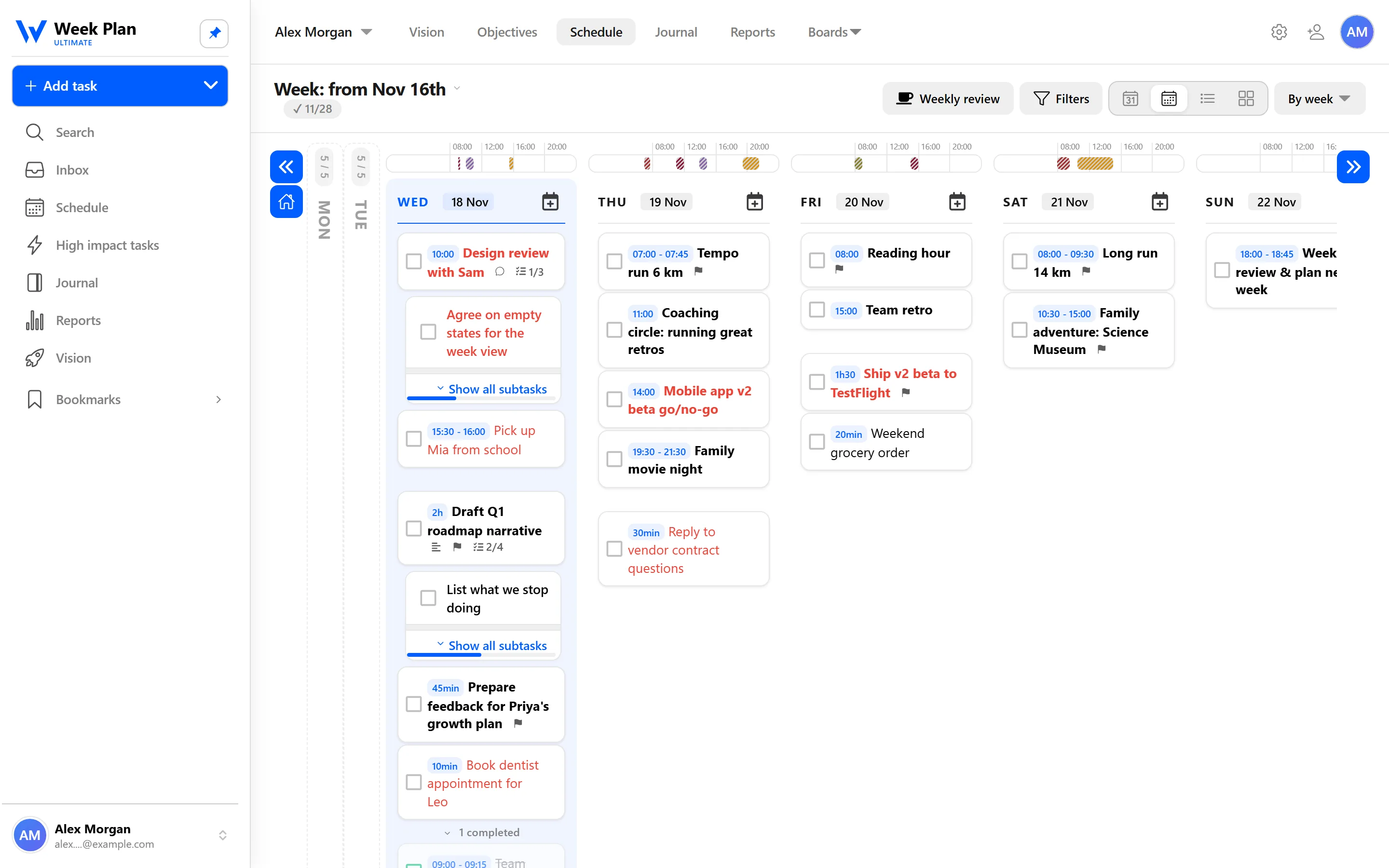
Team workspaces. Create a workspace for your team and bring your colleagues in. The workspace is where the team's tasks, objectives and journal live together.
People view. The People view shows each member's week side by side. It answers "who is overloaded?" and "who can take this?" without a meeting.
Assigning tasks. To assign a task, drag a teammate's avatar onto it. The task lands in their week, and there is no doubt about who owns it.
Comments with email replies. Discuss a task in its comments, next to subtasks and attachments. Teammates can reply directly to the email notification, and their reply is posted as a comment. You can read more on the email integration page.
Shared objectives. Objectives can belong to the team workspace, with key results and progress bars. Link tasks and High Impact Tasks to them, and everyone sees how the week's work connects to the quarter.
Team journal. The journal works for teams too. Write entries the whole team can read, such as decisions, wins or lessons from the week, and filter by type or by person, or switch to "Just me".
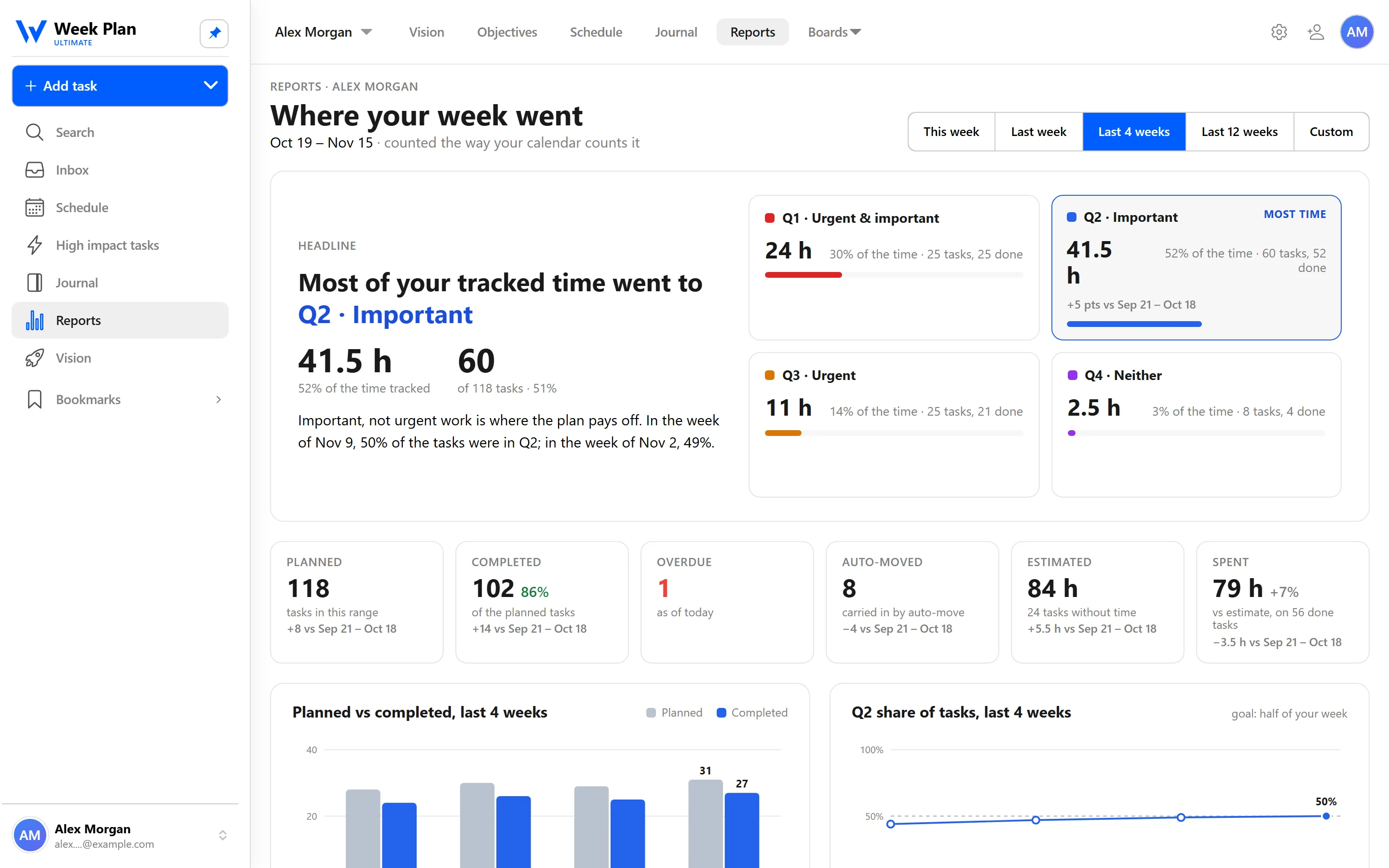
Reports per member. Reports can be broken down by team member, alongside role and quadrant, so you can talk about workload and focus with real numbers.
The 7 Habits behind it
Week Plan is built on Stephen Covey's The 7 Habits of Highly Effective People. The first three habits are about leading yourself; the next three are about working well with others, and team planning gives them practical ground.
Habit 4: Think Win-Win. Shared objectives make the agreement visible: what the team is aiming for this quarter, and how each person's week contributes.
Habit 5: Seek First to Understand. The People view and the team journal let you see a colleague's week and context before you ask for something.
Habit 6: Synergize. Comments keep the discussion on the task itself, so different perspectives build on each other instead of scattering across chat threads.
How to get started
- Create a team workspace and invite your teammates.
- Add the team's quarterly objectives and key results to the workspace.
- Plan your week, then open the People view to see everyone's week side by side.
- Assign a task by dragging a teammate's avatar onto it, and use comments for questions.
- At the end of the week, write a short team journal entry and check reports per member.
Tips
- Plan individually first, then look together. Each person choosing their High Impact Tasks keeps ownership real.
- Use the People view before assigning. A quick look at someone's week makes requests fairer.
- Keep decisions in the journal. A short entry saves a long search later.
- If your team lives in Slack, the Slack integration lets you capture tasks from messages.
Who it is for
Team workspaces fit small teams that want to plan their weeks deliberately rather than only track deadlines: product and project teams, agencies, coaches working with a group, founders and their first hires. They also work well for a team lead who wants to see the week's workload before Monday's meeting, not after it.
Because every member plans with the same method, the team shares a language too. Roles, High Impact Tasks, quadrants and objectives mean the same thing to everyone, so "is this a Quadrant 2 task?" or "which objective does this move?" becomes a quick question instead of a debate. Week Plan runs on the web and on iOS and Android, so teammates can check their week wherever they are.