
Best Task Management Software for Windows - Recurring Task
Choose the best task management software for Windows to organize complex projects seamlessly. Rated among the best task management software, the platform’s Week Plan Windows software features support collaboration, recurring tasks, and efficient workflow management for teams and individuals.

Already have an account?
Download Best Task Management Software for Windows PC
Manage your tasks in the most effective way using WeekPlan’s Windows app for your desktops and laptops.
Team Task Calendar
his feature helps you to manage tasks in the calendar format for a single person or the whole team. You can see all the tasks of your business in the calendar format for any desired time period.
Track Time for Each Task
Setting up time tracking for tasks helps you to analyze the time spent on each task and measure your or your team’s performance. In addition, it also helps you to plan your tasks better based on accurate deadlines.
Recurring Tasks
There are many tasks that needs to be repeated on a daily, weekly, or monthly bases. So, this feature allows you to automate the creation of all these tasks and focus on the execution without any hassle in management.

Objectives Key Result (OKR)
This task management software for Windows allows you to make your company objectives, set key results and make High Impact Tasks (HITs) with each objective, to focus all the efforts toward the main company goals.
Roles Management
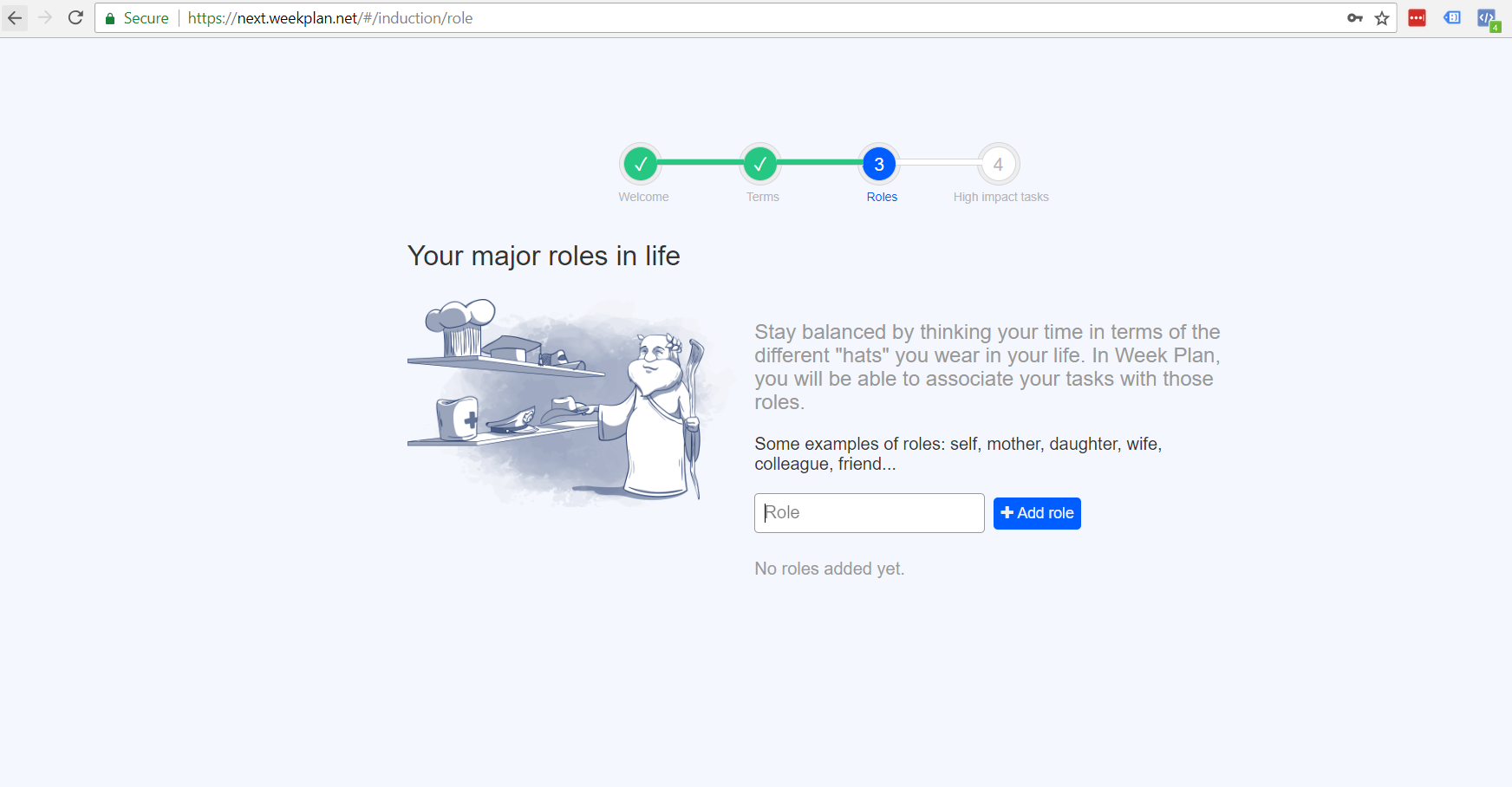
Roles management helps you to create and/or assign tasks based on various roles. You can assign various roles to different team members or also assign task to various roles, which are being filled by an individual.
More than 1000 Integrations
WeekPlan for Windows can be connected to dozens of other apps using more than 1000 integration options. Some integrations are standalone, while others can be done using the power of Zapier.

Available for Various Windows Versions
You can install WeekPlan’s Windows app on all the popular Windows versions which are being used today.
1,00000 Active Users of WeekPlan
We are proud to help several hundred thousand individuals and teams in managing their tasks on a daily basis.

Easy Contact Option via Chat
We are always here to help you. Chat with our expert or directly with our CEO to ask any question you may have regarding WeekPlan.

Introduction to Task Management
In today’s fast-paced world, managing tasks efficiently is essential for both personal and professional success. Task management is all about planning, organizing, and controlling your daily, weekly, and long-term tasks to achieve your goals. With the rise of digital technology, a wide variety of apps have made it easier than ever to keep track of to dos, set reminders, and structure your workflow. Whether you’re handling work related tasks, personal projects, or simply trying to stay organized, using the right task management tools can help you boost productivity, reduce stress, and make steady progress toward your objectives.
What is Task Management
Task management is the process of breaking down your goals into actionable steps, setting priorities, and tracking your progress over time. It’s not just about creating a long list of tasks—it’s about structuring your workload in a way that helps you focus on what matters most. By monitoring your progress and adjusting your plans as needed, you can ensure that nothing falls through the cracks. Effective task management is key to personal growth, helping you stay on top of daily tasks, meet deadlines, and achieve a better work-life balance. Whether you use traditional methods or modern apps, mastering task management is a powerful way to take control of your personal and professional life.
Types of Planners
Planners are indispensable tools for anyone looking to organize their life, manage tasks, and track progress. From classic paper planners to advanced digital planning solutions, there’s a planner out there to suit every style and need.
Paper Planner
A paper planner is a timeless choice for those who love the feel of pen on paper. With a paper planner, you can jot down tasks, appointments, and notes on dedicated pages, giving you a tangible sense of structure and accomplishment. Many people enjoy customizing their planner with stickers, color coding, and creative layouts, making it a gorgeous planner that reflects their personality. Paper planners are great for note taking, brainstorming, and planning out weekly or monthly pages without the need for devices or internet access. However, keeping your paper planner updated and carrying it everywhere can be a challenge, especially if you juggle different classes, work, and personal commitments. Still, for many, the act of writing things down on paper helps reinforce memory and focus, making it a great choice for personal use.
Digital Planner
A digital planner brings the power of technology to your planning routine, offering flexibility, customization, and seamless access across all your devices. With a digital planner, you can create tasks, set due dates, and receive reminders to help you stay on track. Many digital planners, such as Google Calendar, Apple Calendar, and customized planner apps, allow you to sync your schedule across your phone, tablet, and computer, so you can access your plans anytime, anywhere. Digital planners often come with extra templates, habit tracking, and split screen capability, making it easy to manage daily tasks, weekly layouts, and monthly overviews. You can also share your planner with others, making it ideal for business planner needs or collaborative projects. Whether you’re looking for a free digital planner or a pro planner with advanced features, digital planning offers a streamlined, eco-friendly alternative to traditional paper planners, helping you stay productive and organized in every aspect of your life.

WeekPlan has helped me focus my life and do what I needed to do to help me flourish in life. I use it constantly as I have it in every device I own, from Kindle to my Android phone, Chrome, and PCs. It has become indispensable to the way I live my life.

My favorite feature on WeekPlan is that I am able to organize my day/week into roles. I am a mother, businesswoman, freelancer, partner, and daughter- I want to understand better what part of my life is doing well and what I need to improve on.

This amazing tool, along with the great team and customer service behind it, makes sure that I'm able to put the most important things in my life first—and that has made all the difference.
Already have an account?