
Task Management for Developers: Plan Deep Work
A weekly planner for developers: a backlog on boards, focus blocks for deep work, subtasks for complex tickets and your team's week in one view. Free.
Most developers don't lack a task list. They lack an afternoon. The tracker has hundreds of tickets, the calendar has stand-ups, reviews and "quick syncs", and the two hours you needed to finish the hard part never appear in either.
Week Plan is a weekly planner for developers that sits above your tracker. Tickets stay in Jira or GitHub; your week — the few things you will really ship, the focus blocks to do them in, and the meetings around them — lives here. It's free to start, in the browser and on iOS, Android and Windows.
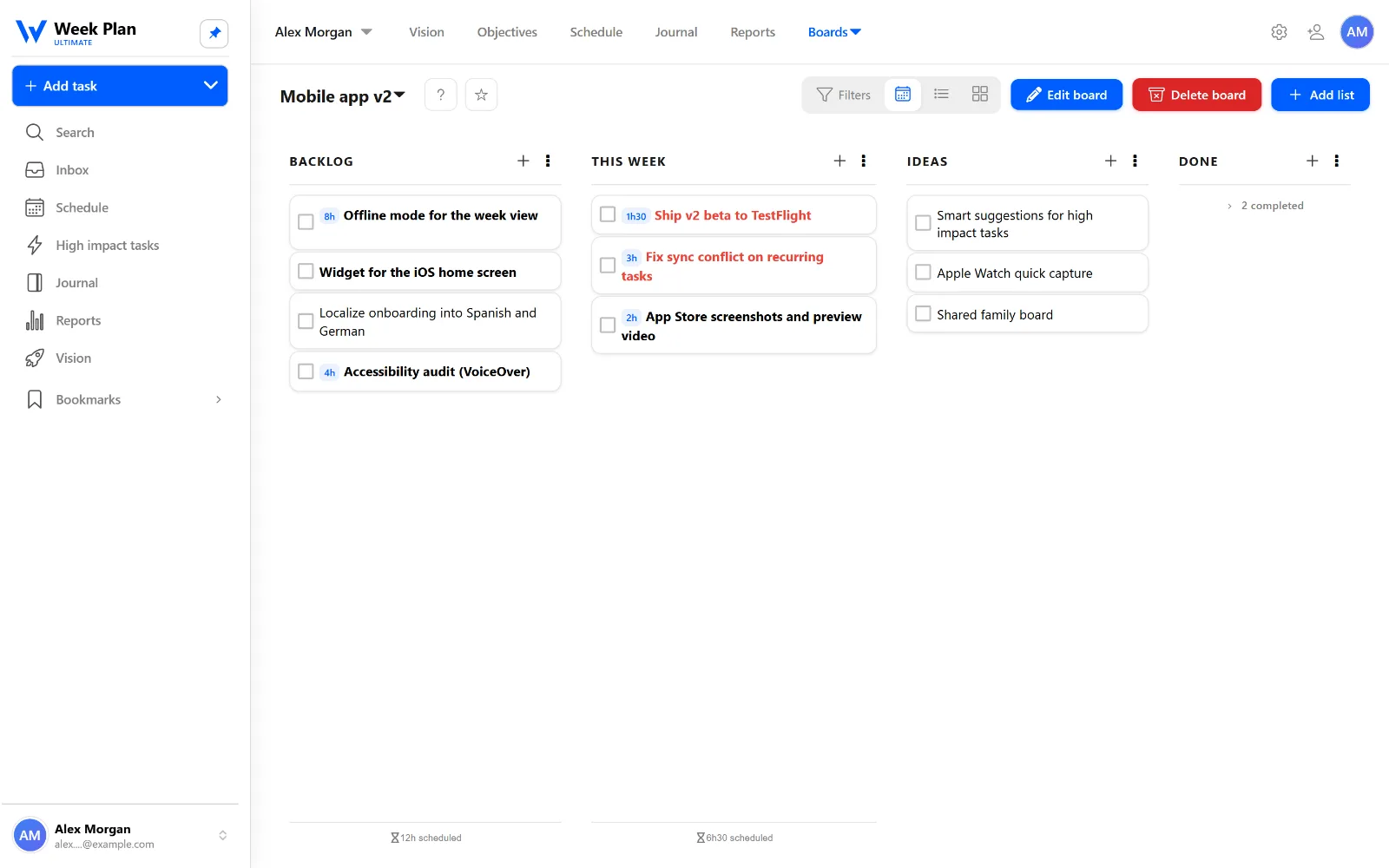
A backlog you can actually see
Keep the work that isn't for this week on boards: a backlog, an ideas list, this week and done. On Monday you pull three or four items into the week; the rest waits without nagging you.
Deep work goes on the calendar first
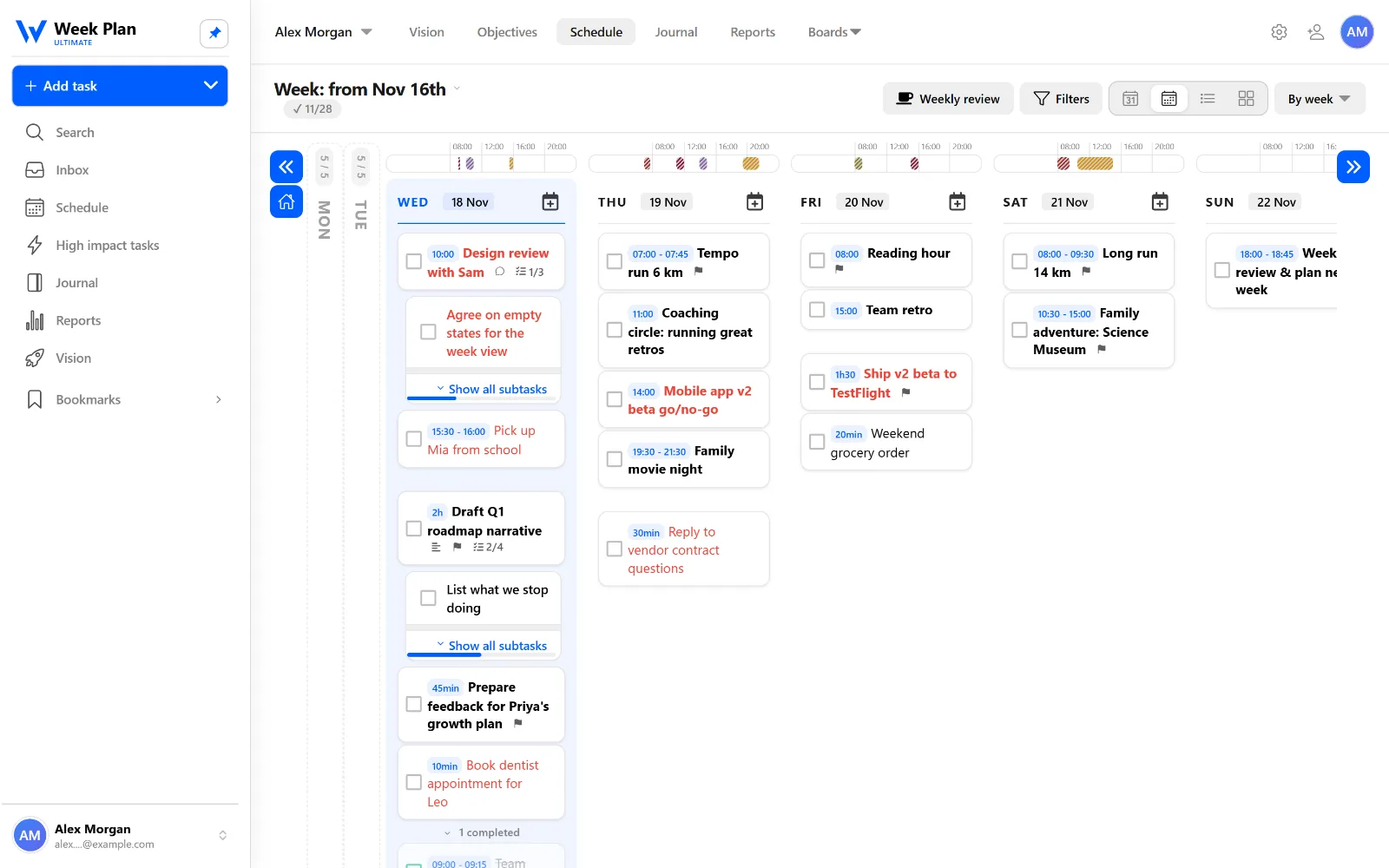
Mark the work that moves the release as High Impact Tasks and give it a start time before meetings claim the day. When the block starts, run the built-in Pomodoro timer — 25 minutes of one problem beats an afternoon of context switching.
Complex tickets, broken down
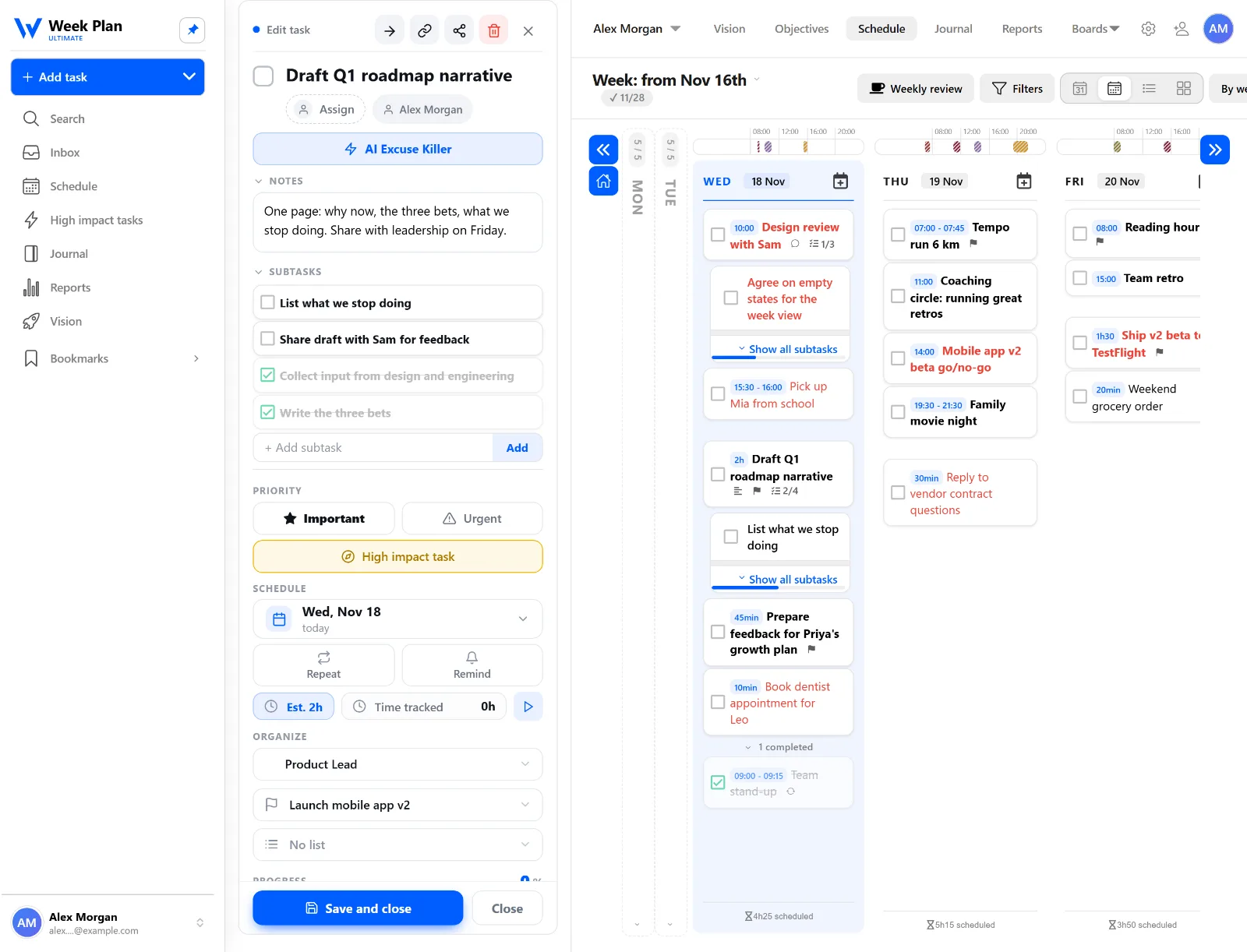
A big ticket becomes subtasks you can finish one at a time, with notes and an estimate on the task. Progress shows on the card, so "almost done" turns into "two subtasks left".
The team's week in one place
Share a workspace with your team and see the whole week: who is on which feature, who is buried in reviews, which stand-up item has been "in progress" for nine days. Team planning without another status meeting.
Keeps its lane
Week Plan doesn't do code review, CI or sprint burndown — your tracker does. Connect it through Zapier and other integrations if you want new issues to land in your Week Plan inbox.
Start planning free — no credit card required. Team features are on the pricing page.
FAQ
Does Week Plan replace Jira or GitHub Issues?
No. Your tracker keeps the tickets, sprints and code reviews. Week Plan plans your week: which of those tickets you will actually work on, when your focus blocks are, and how the meetings fit around them. Zapier can send new issues into Week Plan if you want them in one place.
How do developers protect time for deep work?
Block it first. Put two- to three-hour focus blocks on the week before meetings fill it, mark the work that matters as High Impact Tasks, and run a Pomodoro timer when you sit down so the block turns into real progress.
Can my team plan together in Week Plan?
Yes. A shared workspace shows the team's week and boards in one place, so you can see who is working on what and spot overload before the sprint review.