10 Productivity Tools That Help You Plan, Focus, and Finish
Published: November 4, 2026
Productivity is a multifaceted concept that is no longer limited to personal efficiency. It is also shaped by the processes, systems, and tools that support the work.
Productivity tools are one of the key factors that influence how effectively people and teams work. The right software makes everyday work easier to manage. These tools help teams stay organized and focused, streamline workflows, improve collaboration, reduce manual effort, and keep priorities on track. Some tools focus on personal planning, while others specialize in project management, automating recurring tasks, managing resources, and improving team communication.
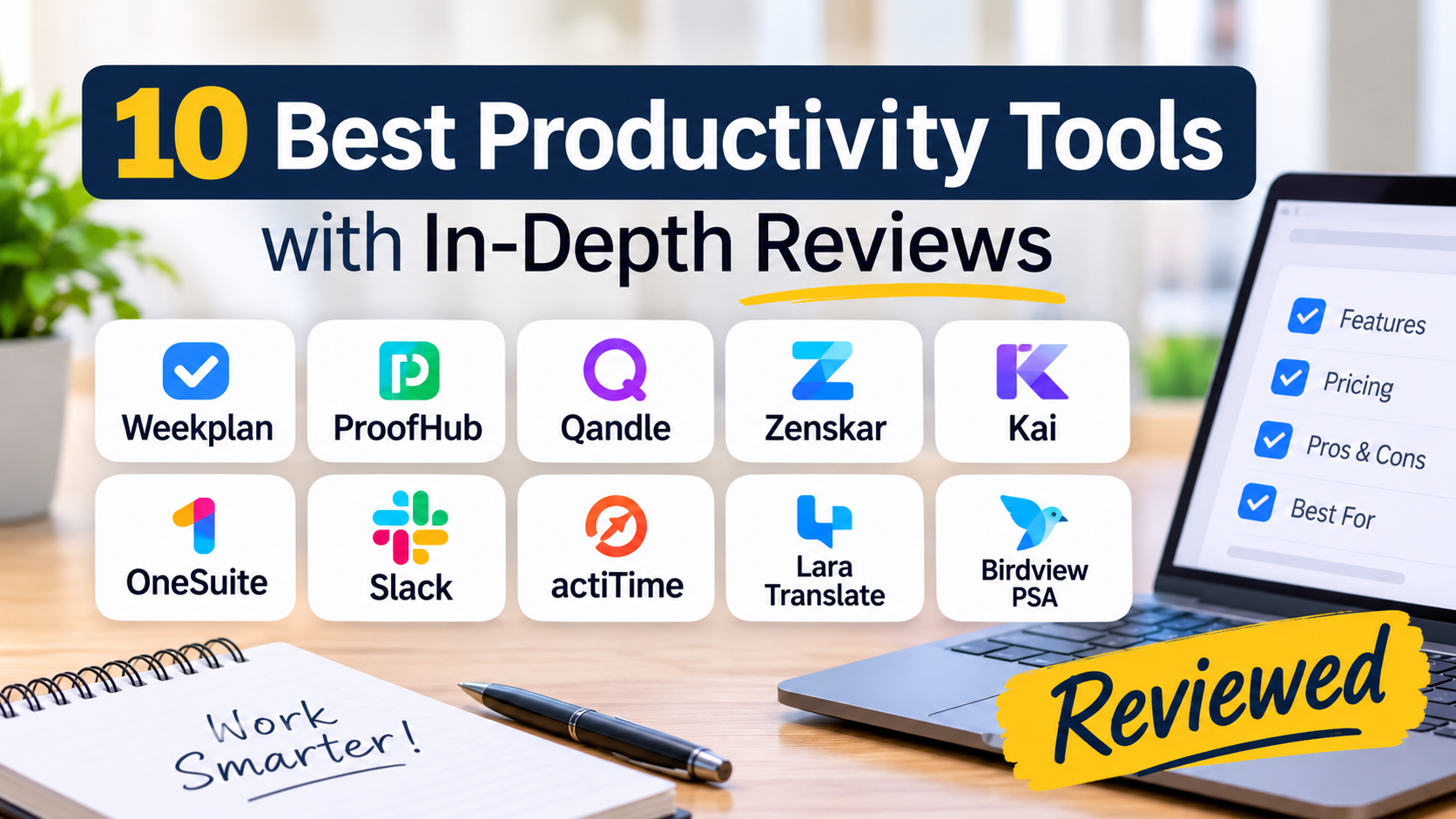
However, with so many options available, choosing the right productivity tool can be overwhelming. We've done the homework and rounded up 10 productivity tools to help you get work done more efficiently.
A quick overview of the 10 best productivity tools.
| **Tool ** | Best For | Pricing |
|---|---|---|
| Week Plan | Goal-based planning and task prioritization | Free plan available; Ultimate: $8.67/month (billed annually) |
| ProofHub | All-in-one project management and team collaboration | Essential: Flat- $45/month; Ultimate Control: $89 month (flat fee, billed monthly) |
| Qandle | Streamlining HR operations and employee management | Paid plan starts at ₹ 2450/mo up to 50 employees + ₹ 49/mo per additional employee |
| Zenskar | Automating subscription billing and revenue management | Custom pricing |
| Kai | No-code workflow automation | Free trial available; paid plans start at $20/user/month |
| OneSuite | Highly customizable client management | Starts at $9/user/month |
| Slack | Team communication and real-time collaboration | Free plan available; Pro starts at $7.25/user/month (billed annually) |
| actiTime | Employee time tracking | Free for up to 3 users; paid plans start at $5/user/month for teams of 41–200 |
| Lara Translate | AI-powered translation with professional human review | Free plan available; paid plans start at $9.99/month |
| Birdview PSA | Managing client services | Lite: $9/user/month (billed annually) |
1. Week Plan
Week Plan is a productivity and planning tool that helps individuals and teams organize their work around priorities. It connects broader objectives to daily task lists, helping users ensure their everyday efforts contribute to their bigger goals.
Instead of simply managing a long list of tasks, it encourages users to understand what matters most and plan their time accordingly. It combines weekly planning, task management, goal tracking, OKRs, the Eisenhower Matrix, and time management capabilities to help users focus on high-impact work and stay organized.
Features
- Daily and weekly planning
- Goals and OKR management
- High-Impact Tasks (HITs)
- Recurring tasks and task organization
- Time tracking and Pomodoro timer
- Calendar synchronization
- Team workspaces and comments
- Eisenhower Matrix and quadrant planning
Top 3 Features
1. Goals and OKRs
Define objectives, establish measurable outcomes, and connect them to actionable tasks that move you closer to your goals.
2. High-Impact Tasks
Use High-Impact Tasks to identify important work that contributes most to your goals and prioritize it over less consequential activities.
3. Weekly Planning
Plan your upcoming responsibilities, set priorities, and allocate time to approach the week with a clearer direction.
Pros:
- Encourages priority-based planning
- Connects daily activities with broader goals
- Supports weekly and daily scheduling
- Includes goal-tracking and time management features
Cons:
- Teams requiring advanced client approval workflows may need a more specialized platform.
- Maintaining an effective planning routine requires consistency.
Pricing:
- Lite: Free ($0 per month)
- Ultimate: $8.67 (Per month, billed annually)
Reviews
- G2: 4.3
- Capterra: 4.6
- GetApp: 4.6
2. ProofHub
ProofHub is an all-in-one project management and team collaboration platform that helps teams stay organized and productive. It helps teams plan projects, manage tasks, communicate, and track progress from one workspace.
By centralizing projects, tasks, teams, discussions, chat, files, and feedback in one place, it eliminates the need to switch between multiple disconnected tools. Whether it is managing complex projects or coordinating day-to-day tasks, it keeps teams aligned and accountable.
Features
- Task and project management
- Kanban boards and Gantt charts
- Project calendars and milestones
- Task dependencies and recurring tasks
- Team chat and discussions
- File sharing and document management
- Online proofing and approvals
- Time tracking and reporting
Top 3 Features
1. Project Planning and Task Management
ProofHub lets teams assign tasks, establish deadlines, and monitor progress. It offers multiple views, including Kanban, Gantt, Table, and Calendar, for users to organize work according to their preferred workflow.
2. Team Collaboration
Teams can use built-in chat, discussions, notes, task comments, and file sharing to keep conversations contextual and organized.
3. Online Proofing and Approvals
Teams can review designs, documents, and other creative deliverables, make annotations, and share feedback directly where the work is.
Pros:
- Provides flat-fee pricing rather than per-user pricing
- Offers complete control over projects, tasks, dependencies, and deadlines.
- Supports project management and team collaboration from initiation to delivery in one comprehensive platform.
Cons:
- Not an ideal solution for freelancers and solopreneurs.
- Offers limited native integrations, but its built-in project management and collaboration features feel sufficient.
Pricing:
- Essential: Flat $45 (Per month, billed annually)
- Ultimate Control: Flat $89 (Per month, billed annually)
Reviews
- G2: 4.6
- Capterra: 4.6
- GetApp: 4.6
3. Qandle
Qandle is an all-in-one HR platform designed to simplify every aspect of human resource operations. From payroll and attendance tracking to onboarding and analytics, Qandle helps HR teams manage employee-related processes more efficiently.
By automating routine tasks and streamlining workflows, it turns time-consuming HR processes into smoother, more organized operations. It is particularly great for organizations that want to reduce manual administrative work and enhance employee self-service.
Features
- Payroll automation and compliance management
- Time and attendance tracking
- Leave and timesheet management
- Recruitment and onboarding
- Employee self-service
- HR analytics and reporting
- Mobile applications and notifications
- Integrations and custom workflows
Top 3 Features
1. Payroll Automation
Streamlines repetitive payroll activities, including salary processing, tax calculations, and compliance-related workflows.
2. Time and Workforce Management
GPS and biometric options, mobile check-ins, shift scheduling, and IP-based restrictions help organizations maintain e-attendance records and workforce schedules.
3. Employee Self-Service
Employees can access payslips, tax deductions, leave balances, and request functions to reduce routine administrative queries.
Pros:
- Highly customizable platform.
- Offers HR operations including time and attendance, leave management, payroll, and onboarding into one platform.
- Helps employees manage their personal information and access HR policies.
Cons:
- Some users report the user interface to be clunky.
- Limited flexibility for specialized recruitment workflows.
Pricing:
- Foundation: ₹ 2450/mo up to 50 employees + ₹ 49/mo per additional employee
- Regular: ₹ 3950/mo up to 50 employees + ₹ 79/mo per additional employee
- Plus: ₹ 4950/mo up to 50 employees + ₹ 99/mo per additional employee
- Premium: ₹ 6450/mo up to 50 employees + ₹ 129/mo per additional employee
- Enterprise (more than 1000 employees): Custom pricing
Reviews
- G2: 4.2
- Capterra: 4.4
- GetApp: Not available
4. Zenskar
Zenskar is an AI-native billing and revenue recognition platform for B2B SaaS, AI, fintech, and cloud businesses. It helps companies manage complex billing models, centralize financial operations, automate usage-based and hybrid pricing, build and customize chained AI agents, and generate revenue reports and analytics.
By connecting contracts, billing rules, usage data, and revenue recognition workflows, Zenskar helps finance teams automate routine operations with AI agents while maintaining human oversight of critical decisions.
Features
- Subscription, usage-based, and hybrid billing
- AI-assisted contract interpretation
- Automated invoicing
- ASC 606 revenue recognition
- Prepaid credits and entitlements
- Automated collections
- Revenue analytics
- Multi-entity integrations
Top 3 Features
1. Flexible Billing Automation
Zenskar agents generate invoices using contract terms, pricing rules, and usage data, while automating payment reminders and reconciliation to reduce manual calculations and follow-ups.
2. Contract Agents
Contract AI extracts key details from the contracts automatically to generate billing configurations and revenue recognition rules. Teams can review, edit, or approve critical details before finalizing invoices.
3. Revenue Recognition
Zenskar supports ASC 606 revenue recognition and journal entries synchronized with an ERP.
Pros
- Supports complex billing models.
- Offers flexibility to change pricing structures, billing rules, and entitlements.
- Offers 100+ integrations with third-party tools.
Cons
- There is no public entry-level price available.
- Some of the users complain about the initial learning curve.
Pricing
- Starter: Custom pricing
- Standard: Custom pricing
- Enterprise: Custom pricing
Reviews
- G2: 4.8
- Capterra: 5
- GetApp: Not available
5. Kai
Kai is an AI executive assistant that keeps track of your tasks and priorities and builds a realistic plan for the day. It works across your tasks, calendar, email, and meetings to help you stay organized and focused.
From organizing your daily meetings to adjusting your schedule when priorities change, Kai helps you manage your day more effectively. Its features, including daily briefings, calendar conflict detection, and focus-time protection, make it particularly relevant to professionals with busy schedules.
Features
- AI-generated morning briefs
- Google Calendar and Outlook in one view
- Task and priority planning
- Calendar conflict detection
- Focus-time protection
- Evening recaps
- Team scheduling assistance
Top 3 Features
1. Morning Brief
Prepares a daily brief highlighting upcoming meetings, urgent tasks, and suggested priorities.
2. Calendar Conflict Detection
Manages multiple calendars, identifies scheduling conflicts, and suggests practical fixes to keep your day on track.
3. Focus-Time Protection
Protects designated working hours and restores focus blocks when meetings interfere.
Pros
- Suitable for ADHD and people who struggle with focus and organization.
- Has a ready-made workflow library to suit different needs.
- Understands instructions in English.
Cons
- Has no independent track record of reviews.
Pricing
- Free Trial: $0 (No time limit)
- Base: $20 (Per user/month)
- Pro: $50 (Per user/month)
- Ultra: $100 (Per user/month)
Reviews
- G2: Not available
- Capterra: Not available
- GetApp: Not available
6. OneSuite
OneSuite is an all-in-one client portal and work management platform that brings client administration and work delivery together. It combines project management, time tracking, invoicing, budgeting, and client portals in one place.
It is suitable for agencies, freelancers, and consultants managing multiple clients and projects. It helps businesses plan their work, track progress, and deliver on time without relying on numerous disconnected applications.
Features
- Project and task management
- Priorities, assignees, and deadlines
- Branded client portal
- CRM and lead management
- Contracts and e-signatures
- Invoicing and online payments
- Budgeting and profitability reports
- Integrations with payment and productivity tools
Top 3 Features
1. Project and task Management
Assign tasks, set deadlines, and visualize them across Kanban, List, and Calendar views.
2. Time and expense tracking:
Track billable and non-billable hours and expenses against projects and capture them on timesheets to generate invoices.
3. CRM and Invoicing
Combines lead management with contracts, electronic signatures, and contact history. Businesses can track client details and bill them accurately.
Pros
- Clean and simple interface.
- Offers migration from other tools at no extra cost.
- Ideal for small software companies and digital agencies.
Cons
- Businesses needing only task management may not require its full feature set.
- Teams should assess whether its client workflows fit their existing processes.
Pricing
- Starting Plan: $9 (Per user/month) when billed monthly
- $7 (Per user/month) when billed annually
Reviews
- G2: 4.8
- Capterra: Not available
- GetApp: Not available
7. Slack
Slack is a workplace communication platform that helps teams collaborate in real time, organize conversations, and coordinate work across projects and departments. Its AI-powered agentic solutions help automate workflows and connect everyday work.
With integrations and workflow automation, Slack can connect communication with everyday business activities. While it supports collaboration and coordination, it is not a complete replacement for dedicated project management software.
Features
- Channels and direct messages
- Audio and video meetings through Huddles
- Slack Connect for external collaboration
- Workflow and automation builder
- Agentforce and Slackbot AI assistant
- App integrations
- AI-powered search
- Canvases and lists
Top 3 Features
1. Channels and Search
Channels organize conversations around specific projects or topics. Search helps users locate and recover important context.
2. Integrations and Automation
Slack offers an extensive integration library. Workflow builder, AI responses, and conditional branching help automate repetitive tasks and streamline workflows.
3. Huddles and External Collaboration
Huddles allow quick audio and video conversations, while Slack Connect supports collaboration with external partners.
Pros
- Offers a broad integration ecosystem
- Supports both remote and hybrid collaboration.
- Connects with a huge ecosystem of tools.
Cons
- Notification overload can quickly become distracting.
- Detailed project planning may require a separate work management tool.
Pricing
- Free: $0 (Per month)
- Pro: $7.25 (Per user/month, billed annually) or $8.75 (Per user/month, billed monthly)
- Business+: $15 (Per user/month, billed annually) or $18 (Per user/month, billed monthly)
- Enterprise+: Custom pricing
Reviews
- G2: 4.5
- Capterra: 4.7
- GetApp: 4.6
8. actiTIME
actiTIME is a time tracking and project management tool that helps individuals and teams make the most of their working hours. It helps teams create accurate estimates, track cost and progress, spot bottlenecks, and gain clear insights on workload, progress, and budgets.
It combines timesheets, task management, time estimates, cost tracking, and reporting. It is particularly useful for agencies, consultants, and service businesses that need to plan realistically, monitor project effort, manage budgets, or bill clients by the hour.
Features
- Online timesheets and time tracking
- Tasks and time estimates
- Kanban board
- Planned versus actual hours and costs
- Workload, overtime, and leave reports
- Billing rates and invoicing
- QuickBooks Online and Zapier integrations
- Open API
Top 3 Features
1. Time Tracking
Record work manually through online timesheets, selecting a time slot on the calendar, the mobile application, and a Chrome extension.
2. Task Estimates
Define tasks and estimate time, effort, and resources to create a realistic timeline.
3. Reporting and Billing
Reports cover tracked time, team performance, overtime, and leave. Businesses can also configure billing rates and create invoices based on recorded work.
Pros
- Clean interface and simple timesheet entry.
- Offers multiple time-entry methods.
- Cloud and self-hosted options are available.
Cons
- Reporting accuracy depends on consistent time entry.
- Some users report a learning curve for advanced features.
Pricing
- Free: $0 (For up to 3 users, with limited functionality)
- Online (1–40 users): $6 per user/month (billed annually)
- Online (41–200 users): $5 per user/month (billed annually)
- Online (More than 200 users): Fixed annual price for unlimited users
- Self-Hosted: $120 per user; one-time license fee
Reviews
- G2: 4.6
- Capterra: 4.6
- GetApp: 4.6
9. Lara Translate
Lara Translate is an AI-powered translation platform that helps individuals and businesses translate text, documents, images, and audio across more than 200 languages.
Developed by Translated, a company with more than 25 years of professional translation experience, the tool delivers context-aware results with customizable styles. It is particularly useful for teams and businesses that regularly work with multilingual material.
Features
- Text, document, image, and audio translation across 200+ languages
- Support for 60+ file formats
- Custom styles and instructions
- Formatting preservation for supported files
- Glossaries and translation memories
- AI interpreter and API integrations
- Incognito Mode
Top 3 Features
1. Multilingual Translation
Lara Translate handles multiple content types, including text, documents, images, audio, and voice interpreter across more than 200 languages.
2. Document Translation
The platform supports more than 60 file formats, including DOCX, PPTX, XLSX, and PDF.
3. AI+ human translations
Translates content using AI, followed by a final review from one of Translated’s 600,000 professional linguists to ensure accuracy and context.
Pros
- Supports numerous languages and file formats
- Creates naturally sounding results that reflect context and intended meaning.
- Offers terminology and style customization
Cons
- Each usage has a character limit, which may restrict the free plan.
- Sensitive, legal, or technical translations may require human review.
Pricing
- Free: $0 (Per month; up to 60,000 characters)
- Pro: $9.99 (Per month, billed annually; up to 500,000 characters)
- Team: Starts at $29.99 (Per month, billed annually; 1.5 million shared characters and unlimited users)
- Enterprise: Custom pricing
Reviews
- G2: 4.5
- Capterra: Not available
- GetApp: Not available
10. Birdview PSA
Birdview PSA is a project and professional services management platform that helps organizations plan projects, allocate resources, manage financials, and evaluate performance to deliver projects efficiently.
Professional services businesses need visibility into schedules, employee availability, costs, and project progress. Birdview PSA brings these activities together and offers AI-powered capabilities for planning, communication, and forecasting.
Features
- Project planning and task management
- Gantt charts, Kanban boards, and dependencies
- Resource and workload management
- Time tracking and budget monitoring
- Customizable dashboards and reports
- AI-powered project plans and chat
- Resource recommendations and project completion forecasting
- MCP connections for ChatGPT and Claude
Top 3 Features
1. Resource and Workload Management
Birdview PSA helps managers assess workloads and identify suitable team members based on skills and availability across active and upcoming work.
2. Project Planning and Forecasting
It helps teams organize and schedule goals, tasks, time, and focus across weekly and monthly boards. AI capabilities predict project timelines, provide resource recommendations, and help generate project plans.
3. Budget Monitoring and Reporting
Time tracking, budget monitoring, dashboards, and business intelligence reports give managers a clearer view of project performance. These insights can help teams evaluate costs and make better resource decisions.
Pros
- Highly customizable.
- Supports time and budget tracking.
- Offers reporting and AI-assisted planning.
Cons
- Offers a steep learning curve.
- Some advanced features like time tracking are restricted to higher tiers.
Pricing
- Lite (1-10 users): $9 (Per user/month, billed annually)
- Team (5-100 users): $24 (Per user/month, billed annually)
- Enterprise (5 to unlimited users): Custom pricing
Reviews
- G2: 4.2
- Capterra: 4.5
- GetApp: 4.5
Frequently Asked Questions (FAQs)
1. What should you look for in a productivity tool?
When choosing a productivity tool, look for capabilities that complement your workflow. If you have specific problems to solve, make sure the tool supports those requirements. Some of the common key factors to consider include ease of use, integrations and compatibility, accessibility, scalability, pricing, and other relevant features.
2. Which productivity tool is best for planning your day?
Week Plan is worth considering for goal-based planning and prioritization. Kai may suit professionals who need AI assistance with schedule adjustments and focus time. ProofHub is worth considering if you want to plan tasks, set priorities, track deadlines, and coordinate daily work with your team. The best choice depends on your planning requirements.
3. Which productivity tools are best for teams?
Week Plan helps teams align their work with goals and priorities. ProofHub supports project planning, task management, and team collaboration, while Slack focuses on real-time communication among teams. OneSuite is useful for agencies and consultants handling both client administration and work delivery. The right choice depends on your team requirements and operational needs.
4. Can productivity tools help reduce distractions?
Yes. Planning tools help reduce distractions by establishing priorities, organizing tasks into manageable steps, protecting focus time, and automating repetitive work. However, the right results also depend on how teams use these tools, set boundaries, and protect time for focused work.
5. Should you use one productivity tool or several?
An all-in-one platform reduces application switching, while specialized tools may better support specific tasks or workflows. Choose one tool or a combination of tools based on your actual requirements and team needs. Avoid adding tools that create unnecessary complexity.
Wrapping Up
Productivity tools are essential for modern organizations to streamline workflows and improve efficiency. They not only simplify everyday tasks but also enhance the ways teams get work done.
Where Week Plan supports priority-based planning, ProofHub brings project management and collaboration together. Qandle focuses on HR operations, Zenskar on billing and revenue recognition, Slack on team communication, and actiTIME on time tracking.
Every tool brings a different strength to the table. However, the right choice depends on several factors, including your workflow, team size, budget, and specific productivity challenges. Before choosing, evaluate whether the tool you're considering addresses it effectively. The right tool should make work easier to organize, manage, and complete.