How Successful People Plan Their Week for Maximum Results by Week Plan
Published: May 27, 2026
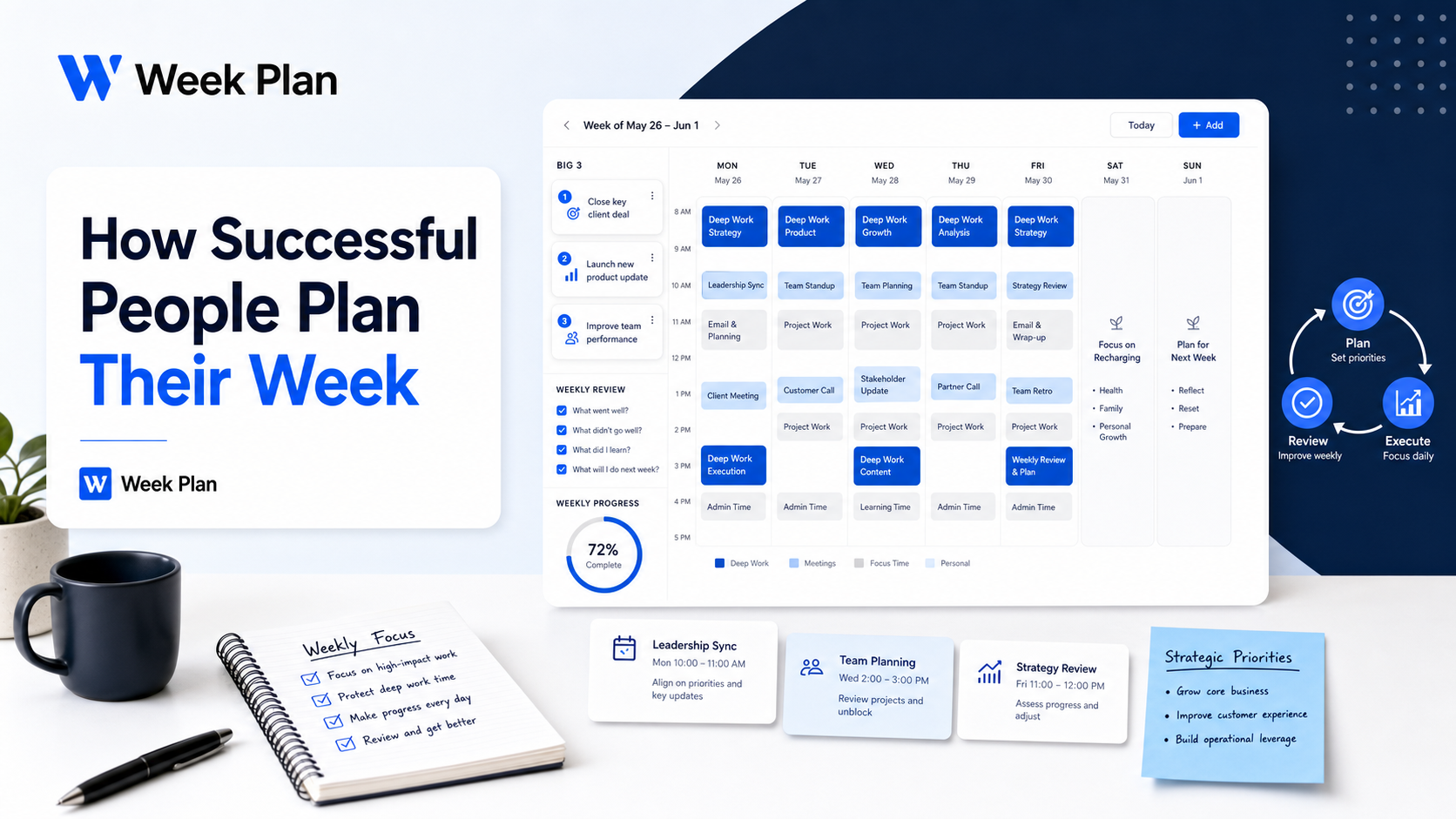
The way successful people plan their week is not random. They protect their best thinking time, reduce low-value decisions, review what happened, and plan their priorities before the week starts pulling them in different directions.
This matters because even senior leaders lose control of their schedules when they rely on memory, urgency, or a crowded calendar. Harvard Business School researchers Michael Porter and Nitin Nohria tracked 27 CEOs for 13 weeks and gathered about 60,000 hours of time-use data, showing how demanding and fragmented executive time can become [web:9].
You do not need to run a large company to use the same planning principles. You need a weekly system that helps you choose your most important work, schedule it deliberately, and review whether your time matched your priorities.
If you already use a weekly planning system, this article will help you sharpen it using lessons from executive planning habits.
What successful people do differently
Successful weekly planning is not about filling every hour. It is about making fewer, better decisions about where attention should go.
Porter and Nohria’s CEO time research found that leaders must balance strategy, culture, direct decisions, indirect influence, internal stakeholders, external stakeholders, planned priorities, and unexpected demands [web:9]. That same tension exists at a smaller scale for founders, managers, freelancers, students, and professionals.
The core difference is simple: successful people do not let the week happen first and then react. They decide what matters before the week starts.
| Weak weekly planning | Strong weekly planning |
|---|---|
| Starts with a task dump | Starts with outcomes |
| Treats all tasks as equal | Separates high-impact work from noise |
| Fills the calendar with meetings | Protects focus time first |
| Moves unfinished tasks forward automatically | Reviews why tasks were not completed |
| Measures busyness | Measures progress on priorities |
The lesson is not “copy a CEO schedule.” That would be lazy advice. The lesson is to copy the decision logic behind the schedule.
Lesson 1: Protect peak thinking time
Jeff Bezos is often cited for focusing on a small number of high-quality decisions instead of trying to make endless decisions all day. He has said that if he makes three good decisions a day, that is enough, and those decisions should be as high quality as possible [web:20].
That principle is useful because most people overvalue task volume and undervalue decision quality.
When planning your week, ask:
- What are the few decisions or outputs that would make this week meaningful?
- When do I have the best energy for difficult thinking?
- What work should not be squeezed between meetings?
- Which tasks look urgent but do not deserve my best attention?
Your best thinking time should be protected before your calendar fills up. If your mornings are sharp, do not waste them on low-value admin. If your strongest work happens later in the day, protect that window instead.
A practical version:
| Time type | Use it for |
|---|---|
| Peak energy | Strategy, writing, planning, analysis, decision-making |
| Medium energy | Meetings, collaboration, reviews |
| Low energy | Admin, cleanup, routine replies, scheduling |
This is where a weekly planner becomes useful. You are not just listing tasks. You are matching the right task to the right energy window.
Lesson 2: Control the first part of the day
Tim Cook is known for starting early and using the first part of the day to review emails, customer feedback, and overnight business information before the day becomes busier [web:12]. Business Insider also reported that Cook starts his day by reading customer emails, which helps him stay close to user feedback [web:60].
The useful lesson is not that everyone should wake up at 4 or 5 AM. That is unnecessary and unrealistic for many people.
The real lesson is this: control the first focused block of your day before other people’s priorities take over.
You can apply this without extreme wake-up times:
- Block the first 45 to 90 minutes for self-directed work.
- Review key information before meetings begin.
- Avoid opening every message channel at once.
- Decide the main priority before reacting to requests.
- Use the same morning routine on most workdays.
If your day starts with random messages, your week becomes reactive. If your day starts with a short review and one clear priority, you have a better chance of staying aligned.
For a simpler routine, read the Week Plan guide on best morning habits.
Lesson 3: Use time blocks carefully
Elon Musk is often associated with highly granular time blocking, including five-minute scheduling. Some reporting repeats this idea, but other reporting notes that details around the exact five-minute method are debated, so it is better to treat the principle carefully rather than copy the claim blindly [web:24].
The useful lesson is not that you need five-minute blocks. Most people should not plan that tightly.
The lesson is that important work needs a visible place on the calendar. If it is not scheduled, it usually loses to meetings, messages, and small tasks.
Use time blocking for:
- Deep work
- Strategic planning
- Important decisions
- Writing or research
- Project reviews
- Weekly review
- Admin batches
- Recovery time
Avoid time blocking every tiny task unless your work genuinely requires that level of structure.
| Time blocking mistake | Better approach |
|---|---|
| Blocking every minute | Leave buffer for reality |
| Using vague labels like “work” | Name the specific output |
| Scheduling hard work after draining meetings | Put deep work in stronger energy windows |
| Filling gaps with small tasks first | Place high-impact work first |
| Treating the calendar as fixed | Adjust it during the week |
A good time block should make the next action obvious.
Weak block: “Marketing”
Better block: “Review campaign report and choose next test”
Weak block: “Project work”
Better block: “Draft first version of client proposal”
If you want a deeper method, use Week Plan’s time blocking guide.
Lesson 4: Theme your days
Successful people often reduce context switching by giving different parts of the week different jobs. This does not mean every day is rigid. It means each day has a default purpose.
A founder might use:
| Day | Theme |
|---|---|
| Monday | Planning and team alignment |
| Tuesday | Deep work and strategy |
| Wednesday | Sales or client work |
| Thursday | Product, delivery, or operations |
| Friday | Review, admin, and next-week prep |
A student might use:
| Day | Theme |
|---|---|
| Monday | Review assignments |
| Tuesday | Deep study |
| Wednesday | Project work |
| Thursday | Revision and practice |
| Friday | Weekly review and catch-up |
A manager might use:
| Day | Theme |
|---|---|
| Monday | Team priorities |
| Tuesday | One-on-ones |
| Wednesday | Deep work |
| Thursday | Cross-functional meetings |
| Friday | Review and planning |
Day theming works because it removes repeated decisions. You stop asking, “What kind of work should I do today?” The theme gives the day a default direction.
Choose this if:
✅ Your week feels scattered
✅ You switch between too many modes
✅ Meetings interrupt focused work
✅ You want simpler weekly planning decisions
Do not choose this if:
✅ Your work changes hour by hour
✅ You need heavy daily flexibility
✅ You will treat themes as rules instead of guides
Lesson 5: Choose your Big 3
One of the most useful weekly planning habits is choosing your Big 3. These are the three outcomes that would make the week successful even if smaller tasks change.
Your Big 3 should be outcomes, not vague intentions.
| Vague intention | Better Big 3 outcome |
|---|---|
| Work on sales | Send 15 qualified follow-ups |
| Improve content | Draft two article outlines |
| Get organized | Clear overdue admin and update task list |
| Grow business | Finalize partnership proposal |
| Study more | Complete two focused study blocks |
The Big 3 forces you to admit that not everything can matter equally.
After choosing your Big 3, break each outcome into one or two high-impact tasks. These are the tasks that deserve protected time.
Example:
| Big 3 outcome | High-impact task |
|---|---|
| Finalize proposal | Draft pricing section and send for review |
| Improve pipeline | Send 15 qualified follow-ups |
| Prepare strategy | Outline three priorities for next quarter |
Week Plan’s High Impact Tasks feature is built around this idea: separating meaningful work from noise so your weekly plan does not become a flat task list.
Lesson 6: Review the week
A weekly plan without review is just a guess repeated every Monday.
The most useful professionals do not only ask, “What should I do next week?” They ask, “What happened this week, and what should I change?”
Run a short Friday or Sunday review:
- Which priorities moved forward?
- Which tasks kept rolling over?
- What took longer than expected?
- What distracted me repeatedly?
- What should I stop carrying forward?
- What should be protected next week?
This creates a feedback loop between planning and execution.
| Review finding | Planning adjustment |
|---|---|
| Important work slipped | Schedule it earlier in the week |
| Meetings drained focus | Batch meetings into fewer windows |
| Tasks rolled over | Rewrite or break them down |
| Admin took over | Create admin batches |
| The week was overloaded | Choose fewer priorities |
| You avoided one task | Shrink the first step |
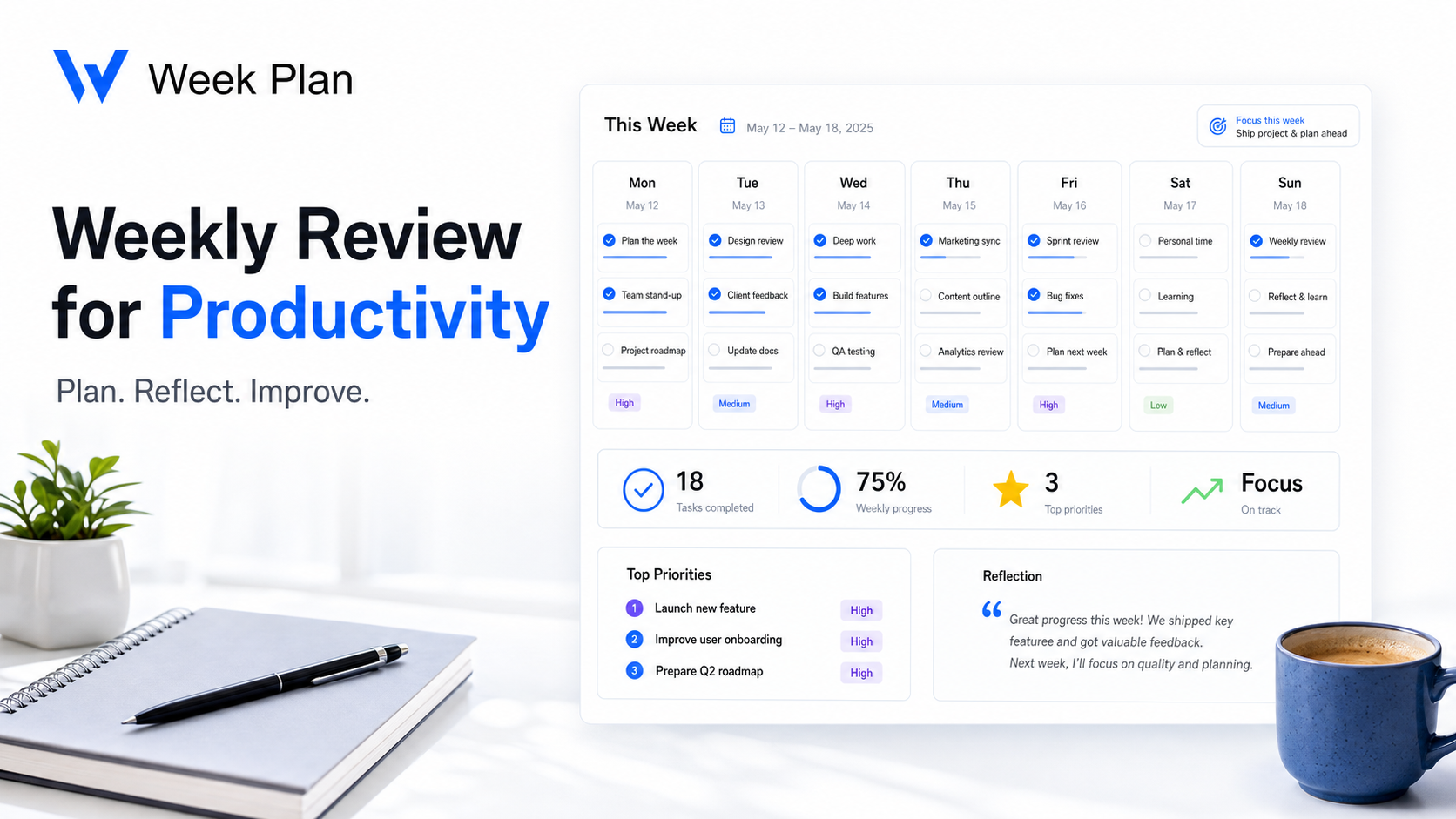
For a deeper walkthrough, use the Week Plan guide on weekly review for productivity.
A practical weekly planning framework
Use this framework before the week starts. It takes 30 to 45 minutes once you get used to it.
Step 1: Review your roles
List the main roles you need to serve this week.
Examples:
- Founder
- Manager
- Individual contributor
- Parent
- Student
- Creator
- Operator
Then ask: “What does this role need from me this week?”
Step 2: Choose your Big 3
Pick three outcomes that matter most.
Do not choose ten. That is not prioritization.
Your Big 3 should be specific enough to review at the end of the week.
Step 3: Identify high-impact tasks
Break each Big 3 outcome into concrete tasks.
Use action verbs:
- Draft
- Send
- Review
- Decide
- Prepare
- Schedule
- Complete
- Outline
- Follow up
Avoid vague words like “work on,” “handle,” or “improve” unless you define the next action.
Step 4: Block priority work first
Open your calendar or weekly planner and place high-impact tasks before small tasks.
Plan in this order:
- Fixed commitments
- High-impact tasks
- Deadline-sensitive tasks
- Admin batches
- Buffer time
- Optional tasks
The order matters. If small tasks go first, they will fill every gap.
Step 5: Leave buffer
A good weekly plan leaves room for reality.
If your work is unpredictable, leave 20 to 30 percent of your week open. This gives you space for urgent requests, delayed tasks, personal commitments, and recovery.
A full calendar may look productive, but it is fragile. One surprise can break the entire plan.
Step 6: Run the weekly review
At the end of the week, review the plan before creating the next one.
Ask:
- Did my time match my priorities?
- What should I repeat?
- What should I change?
- What should I remove?
The review is what makes the system smarter over time.
How Week Plan can help
You can run this weekly planning framework on paper, in a calendar, or in a simple task list.
A weekly planning tool like Week Plan can help when you want one place to organize priorities, plan high-impact tasks, and review your week before the next one starts.
Use Week Plan when:
✅ Your tasks are scattered
✅ You want a clearer weekly view
✅ You need to separate important work from routine work
✅ You want to connect planning with weekly review
✅ You want a repeatable planning rhythm
The tool is not the system by itself. The system is the habit of choosing priorities, protecting time, and reviewing what happened.
Frequently asked questions
How do successful people plan their week?
Successful people usually plan their week by choosing a few important outcomes, protecting focus time, batching lower-value work, leaving buffer, and reviewing what happened before planning the next week.
What weekly planning habits do successful people share?
Common weekly planning habits include choosing top priorities, protecting peak energy hours, using time blocks, reducing context switching, reviewing progress, and adjusting the next week based on what actually happened.
How do CEOs structure their week?
Many CEOs structure their week around strategic priorities, meetings, decision-making, stakeholder communication, and review time. Harvard Business School research shows CEO time is complex and demanding, which makes deliberate planning important [web:9].
Should I plan my week on Sunday or Monday?
Both can work. Sunday is useful if you want a calmer start before Monday, while Monday works better if your priorities change quickly and you need fresh context.
How many priorities should I choose each week?
Choose three to five meaningful priorities. If you choose too many, your plan becomes a task dump instead of a priority system.
What is the Big 3 planning method?
The Big 3 method means choosing three outcomes that would make the week successful. It helps you focus on important progress instead of reacting to every task equally.
Can Week Plan help me plan like successful people?
Week Plan can help you organize weekly priorities, high-impact tasks, and review habits in one planning workflow. It works best when you use it consistently and keep your plan realistic.
Final thoughts
Successful weekly planning is not about copying extreme routines. You do not need Bezos’s schedule, Cook’s wake-up time, or Musk-style time blocks.
The useful lesson is simpler: choose fewer priorities, protect your best work time, reduce unnecessary decisions, and review the week before starting the next one.
Start with your next week. Pick your Big 3, schedule the high-impact tasks first, leave buffer, and run a short review before the week ends.